












Updated 2026-10-26
This guide explains GoLive Chat’s 200 free coins registration offer and the official ways to access the service. Browser access does not require installation; an Android app is also available. A coin balance alone does not specify a number of calls, their duration or access to every feature. Check the conditions actually displayed in the service.
How to get your 200 free coins
- Open web.golive.mobi on your phone or computer.
- Browser access and account conditions are separate questions. The confirmed welcome offer is 200 free coins at new registration; check the conditions displayed for the feature you intend to use.
- Confirm you are 18 or older.
- The welcome bonus of 200 coins is added to your balance right away. You'll see it in the top corner next to the coin icon.
The bonus is given once per new account. It is the same 200-coin offer you may have seen in our ads for "1v1 video call — free coins".
What coins are used for
Coins never expire while your account is active. You can see your balance at any time on the main screen.
How to earn more free coins
- Welcome bonus — 200 coins for every new account.
We don't offer coin generators, hacks or "unlimited coins" tricks — pages that promise them are scams and often steal accounts. Free coins on GoLive come only from the bonuses listed above.
Buying coins
New users get 200 free coins when they register with GoLive Chat.
Why GoLive Chat instead of another "free coins" app
- Browser or app. On iPhone and computer GoLive runs in the browser with nothing to download; on Android it is a free app on Google Play.
- Browser access and account conditions are separate questions. The confirmed welcome offer is 200 free coins at new registration; check the conditions displayed for the feature you intend to use.
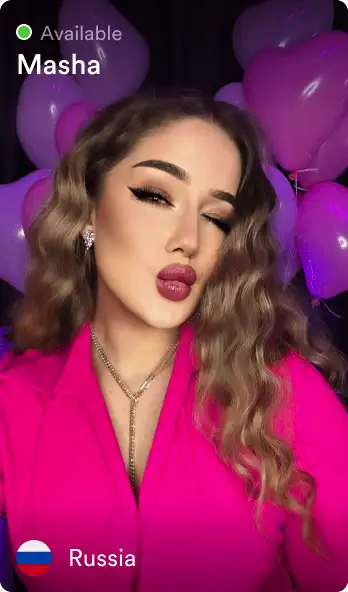
- A country name or profile label does not verify someone’s identity, nationality or location. Choose a language you are comfortable using and keep identifying details private.
- Review the operator’s rules and support information. Keep private details out of view, do not share account codes, and leave an interaction that feels uncomfortable. No guide can guarantee another person’s behaviour.
Looking for a specific app? See how GoLive compares to GoMeet, LivCam and Pink Chat.
FAQ
How do I get free coins on GoLive?
New users get 200 free coins when they register with GoLive Chat. Check the conditions shown in GoLive Chat before using a feature.
Are the 200 coins really free?
Yes. The 200-coin welcome bonus is added to every new account with no payment and no card required.
Do I need to download an app to get free coins?
No. GoLive Chat works in your phone or desktop browser. Open web.golive.mobi and tap Start.
How many coins does a 1v1 video call cost?
New users get 200 free coins when they register with GoLive Chat. Check the conditions shown in GoLive Chat before using a feature.
Can I get 200 coins again on a second account?
The welcome bonus is given once per person. Creating multiple accounts to farm bonuses violates the Terms of Service and leads to a ban.
Is there a coin generator or hack for GoLive?
No. Any site or video promising unlimited free coins for GoLive is a scam. Coins come only from the welcome bonus, offers and purchases.
What happens to my coins if I delete my account?
Coins are tied to your account and are lost when it is deleted. Unused purchased coins are handled according to the refund policy.
New users get 200 free coins when they register with GoLive Chat. GoLive Chat works in the browser without installation. An Android app is also available.
Start 1v1 video chat — get 200 free coins